
Advertise

Showing posts with label rooting. Show all posts

Friday, July 15, 2011

tutorial rooting with z4root

z4root is the standard ROOT applications for Android, basically running this application on the device for ROOT. Applications need to be rooting Superuser to function properly, to install it before installing z4root Superuser also this.
Analogues: Superuser similar to the Windows User Account Control (UAC) which prevents a program to change the operating system or setting a windows system by providing access rights to User2 ID who you defined in advance (To help protect your computer, you can create a user account standards for all users who share a computer. so when someone who has a standard account tries to install software, Windows will prompt the administrator account password so that a software can not be installed without the knowledge and permission of the account / user ID tSB),
and z4root as a tool that gives an account / ID UAC admin rights on the page, so that other programs can change settings on an operating system.
It is an app you install from the market or by side loading, that has a single button that will root your device.

How safe is this?

Should be 100% safe - nothing on disk is changed besides the root binaries, so if something goes wrong, simply rebooting the device should fix up any and all issues. Here is the list so far of known compatible and incompatible devices for the permanent root option. 
Compatible with PERMANENT root option

Samsung Galaxy S (All variants)
Backflip
Sony X10
Xperia Mini
Droid 2
Galaxy Tab
Galaxy I5700
Galaxy 3 I5800
Droid X
Samsung Acclaim
Cricket Huawei Ascend
Motorola Cliq
Huawei 8120
Hero
G1
Optimus T
Droid 1
Garmin Asus A50
Motorola Defy
LG Ally
Motorola Flipside
Motorola Milestone 2
Dell streak
X10 Mini Pro
Smartq v7 android 2.1

Incompatible with PERMANENT root option

Desire (requires nand unlock)
Desire HD (requires nand unlock)
Magic (unknown)
Evo (requires nand unlock)
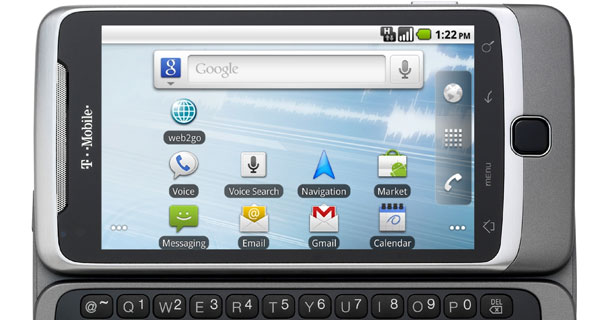
G2 (requires nand unlock)
Archos 70 (unknown)
myTouch 3G (unknown)
Wildfire
Droid Incredible

First download z4root here, then save on your mobile phone.

check the option Unknown Sources at the check in settings -> Application settings


open z4root apk file, and then install.


open z4root, select Permanent Root.


Rooting process will be conducted by z4root. Let your mobile phone for several minutes until you restart your phone. If you freeze for more than 5 minutes, do not worry, unplug your battery, then repeat root process again. 


Sunday, July 10, 2011

about rooting android

To have full access to Android, takes root, similar to the Jailbreak on IOS, but Root has access to more than just change the theme and install pirated apps.Root is a term, where Android users can have super user access to the android device. Android users have full access to his mobile phone, such as the mobile phone developers.
There is also a term sometimes locked and unlocked bootloader bootloader, the bootloader that if the unlock, it would be liberating User android in making modifications to his cell phone, so users can change the ROM at will, than if your phone is still locked its bootloader.

Some reasons why to do Root on Android:

1. A. Performance Update
some of the Android Developer, such as Sony Ericsson, Samsung, LG, Motorola, etc, have a different Rom on its products, with Root access, so we can change the Rom of the android. with developers who are ordinary, like Cyanogen, who often spend ROM update, like the HTC G1, for example. HTC developers did not issue an official update 2.1 for the HTC G1 eclair, but by using Cyanogen Mod Éclair 2.1 in G1, HTC G1 users notice an increase in Performance on its mobile phone, which was using OS 1.6 donut.

2. Interaction Hardware / software
most OS android phone comes with a super-sophisticated hardware, such as a 1GHz processor, advanced camera, a large ram. but the official ROM from large developers, such as Sony Ericsson, Samsung, LG, etc. tend to limit the potential of the hardware. with root, you can overclock your mobile processors, with easy to use existing applications on the android. in addition, eg in the Desire, you can use the LED as a flashlight, which is actually blocking your HTC to do it, by Root, you can bypass the block and get the maximum benefit.


3. APP2SD
move applications to the SD card, to which is devoted to the Android OS 2.1 down, which not support App2SD.


4. held a feature that does not exist.
like the samsung spica, spica samsung basically no support for Live wallpaper, but with the root, you can hold the feature.

5. extra applications
applications that require a full access in their use, such as drocap2 to do screen capture, drocap2 this requires root access so I can do a screen capture. Other applications SetCpu eg, the application is useful to overclock the CPU so that your mobile phone so more quickly, it can also underclock the CPU so the battery to be more efficient, of course, with a slower performance.

many more benefits for the root, it's just that now there are features in Android OS 2.3 gingerbread. already quite complete, such as WiFi tethering, multitouch, etc.

How to  rooting

1. Download tool for rooting SuperOneClick or directly took to here for a newer version

2. Extract the file to a specific folder download

3. Make sure the driver of the device we've installed, the easiest way is by installing a Kies.

4. Unmount the Memory Card in device: Settings - SD card & phone storage.


5. Enable USB Debugging presence in: Settings - Appliations - Development.


6. Connect the device to PC using data cable

7. Run the application SuperOneClick.exe extract the files from a folder that has been previously didonload. (For users Win7 / Vista, run this application as administrator by right click and select Run as administrator).

8. Click on the button to get started doing rooting root.


9. Wait until the rooting process is complete, then will appear Successful rooting process.


10. device has been successful in rooting

11. Checking is root or not:
- There are apps "superuser" in appdrawer
- Can perform the command "su" in terminal
- Can install and run the application functions require root access That


 rooting without pc

1. donload update.zip
 put it in / sdcard. Do not extract. and do not in folders.

2. go into recovery mode
hold the power button and home buttons simultaneously until the screen go into recovery mode.

3. select Apply updates from sd card. use the volume keys to select menus. and home buttons for "ok". and select the file update.zip

4. reboot now.


 5. check is there any superuser app (a skull icon). status complete.

Related Posts Plugin for WordPress, Blogger...
Twitter Delicious Facebook Digg Stumbleupon Favorites More

 
Design by Free WordPress Themes | Bloggerized by Lasantha - Premium Blogger Themes | Best Web Host