Advertise

Showing posts with label TOOLS. Show all posts

Monday, December 26, 2011

Jump Desktop (RDP & VNC) v2.6.11 Apk


Jump Desktop (RDP & VNC) v2.6.11 Apk | 1.8 MB | Mediafire / MirrorCreator
Requires Android:2.2 and up

AndroidApps.Tk

ump Desktop is a remote desktop application that lets you control your computer from your phone or tablet. Compatible with both RDP and VNC, Jump Desktop is secure, reliable and very easy to set up.

Features include a streamlined user interface that gives you the best possible remote desktop experience on any of your mobile devices.

Easy setup and reliable:
Jump Desktop is very easy to configure; anyone can do it! Just visit: http://jumpdesktop.com/go on your PC or Mac and follow step-by-step instructions. You’ll be up and running in no time.

Features:
✓ Multi-protocol: supports RDP and VNC
✓ Easy and secure setup: Automatically configure your PC or Mac for remote access using Wi-Fi and 3G without worrying about your router settings. Set up as many computers as you like and manage them all using your Google account (optional)
✓ Universal application: Works on tablets and phones - buy it only once and use it on all your Android devices
✓ Full support for multitasking: Switch to other apps without disconnecting
✓ Supports large custom screen resolution
✓ Full mouse support: left and right clicks, dragging, scrolling, precision pointer movement

RDP features:
✓ Tested on: Windows 2000, XP, Vista, Windows 7, Server 2003, Server 2008, Server 2008 R2, SBS Server
✓ Secure: 40/56/128bit RDP, TLS/SSL, FIPS and NLA authentication support
✓ Supports 8, 16 and 24-bit colors and all RDP performance options
✓ Multiple monitor support on Windows 7 and above
✓ Console sessions

VNC features:
✓ Tested with Mac OS X, TightVNC, RealVNC, UltraVNC, Linux (Ubuntu Remote Desktop)
✓ Secure: Supports SSL encryption when used with Jump's automatic setup instructions: http://jumpdesktop.com/go
✓ 8 and 16-bit color
✓ OS X Screen Sharing support
✓ Multiple monitor support
✓ Supported encodings: copyrect, zrle, tight, (zlib)hextile, zlib, rre, raw, desktop-resize

Download

Download - Market

Remote Web Desktop Full 5.6.8 Apk


Remote Web Desktop Full 5.6.8 Apk | 2.4 MB | Mediafire / MirrorCreator
Requires Android:1.5 and up

AndroidApps.Tk

Remote manage & control your phone in browser, desktop SMS, webcam, file sync. The best web desktop for Android phones. It provides the easiest way to remotely manage & control your phone through desktop web browser without the USB data cable.

v5.6.8 update:
✔ New web desktop design, thanks Xanders' help.
✔ Fixed auto startup on boot bug.

Including wireless files & folders transfer, desktop SMS, webcam, screen capture, contact manager, cloud clipboard, remote keyboard, wallpaper, APK installer, etc. Totally support all 3G/WiFi/USB connections.

★ Features
─────────────
✔ Desktop SMS: send, read and manage messages from desktop browser. Support long SMS, mass-messages and fake SMS.

✔ File Explorer: manage SD card files and transfer files between phone and computer. Support multiple upload by drag-and-drop (for HTML 5 browser), image viewer, Media Player, etc.

✔ FTP Server: provide a high speed channel to transfer files between phone and computer, enable you to manage sdcard files in Windows File Explorer, browser or FTP client.

✔ Remote Control (Rooted required): remote view and control your android within your computer. Including mouse & keyboard emulation.

✔ WiFi Keyboard: allow you to type on your phone using your computer’s keyboard.

✔ Webcam: turns your phone into a wireless camera, view your camera with web browser (For 2.2+)

✔ Screen Capture: capture phone screen from web (for rooted phone)

✔ Contact Manager (for 2.0+): add/edit/view phone contacts

✔ Shared Clipboard: share clipboard text between PC and phone.

✔ Wallpaper: set phone wallpaper by upload a picture or online picture.

✔ APK Web Installer: backup apps to SD card, and install APK through File Explorer of web desktop.

✔ Personal Web Server: serve your personal web pages on your phone.

✔ SSL HTTP: provide 512 bits RSA encrypt

✔ Network Bridge: support all ineternet connections (2G/3G/WiFi), access your phone at any place.

✔ Many new features are coming soon.

Download

Download - Market

Sunday, December 25, 2011

MyBackup Pro v3.0.6 Apk


MyBackup Pro v3.0.6 Apk | 1.5 MB | Mediafire / MirrorCreator
Requires Android:1.5 and up

AndroidApps.Tk

MyBackup Pro is the easiest backup for Android. Supporting the most content, and the most Android devices.

Backup (with schedule option) to our online secure servers, or SD card, your Applications, Photos, Contacts, Call log, Browser Bookmarks, SMS (text messages), MMS (message attachments), Calendar, System Settings, Home Screens (including shortcut positions), Alarms, Dictionary, Music Playlists, and more...

IN BETA: Trigger a backup to begin on your phone (Android 2.2+ only) from anywhere in the world by logging into the Web Viewer from our website www.rerware.com

Restore your backups on your existing or new phone.

View your data and application backups online, by logging into the Web Viewer at www.RerWare.com

MyBackup Pro will work on all Android mobile devices, regardless if they have root access or not.
Users who have a rooted phone: You can backup apk+data as well as market links!

NOTE: Data/setting of applications can only be supported if you have a rooted phone, or if the application integrates with us.

__ ROOT ONLY PHONE FEATURES BELOW __
MyBackup Pro now comes with all MyToolbox features for Free.
This application will allow Root users to multi-select applications and perform the following functions with 0-click batch operations!

- Freeze bloatware, system apps
- UnFreeze frozen applications
- Wipe Cache of applications
- Wipe Data of applications
- Uninstall applications
- Break the Android Market Link to Apps
- Link Apps to the Android Market
- Force Close applications

Download

Download - Market

RAM Manager Pro v2.0.1 Apk


RAM Manager Pro v2.0.1 Apk | 124 KB | Mediafire / MirrorCreator
Requires Android:2.1 and up

AndroidApps.Tk

This application was made for making RAM of all android phone to the best optimization.This application improves perfomance of your phone in all directions. Switching between applications is very fast, your system will be smoothness as never before. You can fully use your multitasking and you still have as much memory as you need.

v2.0.1 update:
Improved option "Non-killable launcher", improved option "Hard Gaming"

FEATURES:
-Balance - Option which makes your RAM to the best optimization, this option is for everyday using when you use your phone for the most functions and you want have fast phone without lags.

-Balance (with more free memory) - This option is on the same base as balance, but this option should be advantageous for users who have less RAM than 512 MB. This option makes your RAM to the best optimization with more free memory but with a bit less multitasking.

-Balance (with more multitasking) - This option is on the same base as balance, but this option should be advantageous for users who have more RAM than 512 MB. This option gives you more multitasking.

-Hard Gaming - Option which stabilizes your RAM for playing the hardest games. Use this option for games which lags on your phone. Your games will be smoothness and without lags.

-Hard Multitasking - Option for users which are really hard working on their phones. You can have a lot of running apps with fast switching between them and without lags.

-Default (Samsung) - Default settings by Samsung, this settings also use phones as LG, HTC, etc.

-Default (Nexus S) - Default settings which use all Google phone.

-Default settings of your phone - This option reverts your RAM to your default settings, which you had before you install this app.

-All Balance options include additional option "Non-killable launcher".

-Chosen option is automatically set on each reboot.

-You can easily switch between all options without rebooting.

Download

Download - Market

Document Scanner 2.8 Full Apk


Document Scanner 2.8 Full Apk | 2.3 MB | Mediafire / MirrorCreator
Requires Android:1.5 and up

Scan docs with your phone camera,convert to PDF. Email/upload to GDocs/Dropbox/Evernote to share/store.

v2.8 update:
- Significantly improved black/white conversion

Scan documents and receipts with your phone camera, convert them to PDF. It is a portable scanner for your Droid.
*email PDF or upload it to DROPBOX(Donut+), Google Docs, EVERNOTE (Eclair+), BOX.net (Froyo+)
*OCR Option through GDocs/Evernote
*create folders
*no page limit
*scan and add pages later to an existing folder
*insert existing gallery image
*compression and page size options
*reorder pages
*quick one-page option to take a picture and upload as PDF with a single click
*Correct perspective and crop your captured image. The app detects the four corners automatically and gives you an opportunity to modify it
*Enhance image and convert to gray scale (or black/white) as desired

Download

Download - Market

3G Watchdog Pro 1.8.0 Apk


3G Watchdog Pro 1.8.0 Apk | 529 KB | Mediafire / MirrorCreator
Requires Android:1.5 and up

AndroidApps.Tk

3G Watchdog Pro Guarding you against costly internet overages. Pro version of 3G Watchdog mobile data counter / monitoring app, featuring:

* Advanced data usage prediction
* Billing rules (counts in blocks, ignores uploads)
* Usage history with graph & CSV export
* Usage by application (Android 2.2+, unavailable on Dell Streak)
* 5 widget styles
* Backup/restore
* Redesigned UI
* Account/SIM with auto switch (requires a phone with a SIM)
* Import settings & data from 3GW free (don't uninstall 3GW free before importing!)
* ... and more!

v1.8.0 update:
- Built-in mobile network disabler (Android 2.3+ only):
- requires new permission to change the state of network connectivity.
- APNdroid or JuiceDefender are no longer required for Auto-disable function (but you can use them if you want).
- Option to increase 3GW service priority and improve accuracy. Disabled by default, enable it in Settings > Advanced.
- Turkish language (89% complete). Russian soon!
- Bug fixes
- The Lookout button directly opens Lookout if the app is installed.


Download

Download - Market

Saturday, December 24, 2011

Memory Booster - RAM Optimizer v3.9 Full Apk


Memory Booster - RAM Optimizer v3.9 Full Apk | 443 KB | Mediafire / MirrorCreator
Requires Android:1.5 and up

AndroidApps.Tk

Memory Booster is a powerful mobile memory & RAM boosting tool specially designed for Android smartphone users. It is designed to tackle the difficult yet crucial problem of memory management for all Android devices. Memory Booster reclaims lost memory for your programs by defragmenting your smartphone’s memory and recovering memory leaks from poorly behaved applications.

V3.9 update:
- Add task killer widget
- Sort the task killer list via memory consumption
- Calculate CPU consumption of each running program
- Whitelist selection optimized
- Code optimization for better performance
- Add shortcuts for auto boost and other minor UI improvements

Memory Booster – Android RAM Optimizer to Speed Up Your Smartphone!
Now Memory Booster fully supports honeycomb (android 3.x) tablets!
*removed other products links from exit window*

Features:
* Real-time Memory Status Report & Monitor
Memory Booster provides a live chart to demonstrate your device’s total/free memory and current memory usage.
* Setting Your Performance Target
With Auto Boost Threshold set, Memory Booster keeps your memory higher than desired level, and act immediately if memory drops down.
* One-click Quick Memory Boosting
Besides automatic memory boosting, Memory Booster also allows you to manually boost your memory by Quick Boost.
* Auto-boosting in the Background
With Auto Boost Interval, Memory Booster runs in the background and automatically reclaims memory for your Android at interval.
* Android system crash protection
Memory Booster always watches your system resources and cleans up system memory once it reaches a critical point.
* And there is more…
Other features include embedded Task Killer, Whitelist Manager, Boost Level Manager & Memory Boost Log, which assist Memory Booster to perform more efficiently and friendly.

Download

Download - Market

Thursday, December 22, 2011

Battery Monitor Widget Pro 2.0.2 Apk


Battery Monitor Widget Pro 2.0.2 Apk | 889 KB | Mediafire / MirrorCreator
Requires Android:1.5 and up

AndroidApps.Tk

The most complete tool to manage your battery: Shows historical data (%, mA, mW, mV and temperature), calculates estimated run-times and battery aging, helps calibrate battery and improve your battery run-time.

v2.0.2 update :
- New history markers (pro only)
- New zoom visible duration

NB:
- NOT all phones report accurate mA - Check app web-site for more information
- The app displays the % remaining, voltage and temperature data reported by Android

Measures real battery capacity using historical data!
Display all information using great looking graphics, fully scrollable and zoomable.
Use additional packages to show great looking icons in notification bar
Display historical graphics or battery data on your home screen using widgets of various sizes!
Triggers alarm based on battery data (voltage and temperature limits)
Manually resets battery calibration/statistics on rooted phone
Support Motorola Defy/Atrix 1% reporting
Online help accessible from settings
Export data to System Tuner Pro to analyze which process is responsible for battery drain!

Lowest battery consumption on the market! Disable history/graphics for even lower consumption! Check web-site for app consumption and supported phones.

Download

Download - Market

Delayed Lock v2.4.51 Apk


Delayed Lock v2.4.51 Apk | 491 KB | Mediafire / MirrorCreator
Requires Android:1.6 and up

AndroidApps.Tk

DelayedLock temporary disables differnt kind of lockscreens.Not using any pattern-, PIN- or password-lock is a huge security problem, but reentering your PIN a hundred times a day can also be annoying. DelayedLock is a solution to this problem.

After unlocking your phone, it will turn the lock screen off for a user defined amount of time. You can turn your phone off and on as often as you want without entering your password/PIN/pattern again. After a certain time, it will automatically reactivate your lockscreen, so no stranger can access your personal data.
Additionally, there is also a notification in the Android status bar and a widget to immediately reenable the lock screen.

---------------
Main Features:
- Delayes the requirement to enter pattern/PIN/password again after succesfully unlocked once
- Delay since 'Screen off' or since 'Last unlock'
- Ability to show a simple slider lockscreen when pattern/PIN/password lock is currently disabled
- Delay & customize the simple slider lock
- Quickly re-enable the lock through the Android notification bar or a widget
- Widgets & Shortcuts: Toggle Lock, Screen off, Screen off & Lock, Start Simple Lock
- Upgradable with free plugins: Unlock with WiFi, Bluetooth or location based and remote activate lockscreen via SMS
- compatible with HTC Sense & WidgetLocker, should also work with Tasker & Locale (untested, see Support-Thread)
- music controls on simple lockscreen (works with Spotify, Winamp, Google Music and more)

Download

Download - Market

X-plore file manager 2.10 Apk


X-plore file manager 2.10 Apk | 688 KB | Mediafire / MirrorCreator
Requires Android:2.1 and up

AndroidApps.Tk

X-plore is dual-pane file explorer with tree view and root access.This is a dual-pane explorer, which means that there're two folders shown at same time, and common operation such as copying files are done from one pane to another.

v2.10 update:
- Added LAN (SMB) server access
- German localization

Highlights:
* Dual-pane tree view
* Root access (on rooted devices), also allowing changes to read-only files
* Shows all internal and external memory locations
* Seamless work with Zip (as if it was normal folder)
* Favorites (folders, Zips) displayable in root
* Basic media info about images, video and audio files
* Built-in viewers for images, video, audio, text
* Hex viewer
* Fast Image viewer with zoom and slide to previous/next images in folder
* Thumbnails for images and video as well as for various file types (depending on associated application)
* Ability to clear default application handlers
* Multi-selection - always available, yet not disturbing
* Search files in folders (also in Zip or in search results)
* View APK files as ZIP
* Configurable buttons and key shortcuts

Download

Wednesday, December 21, 2011

Autorun Manager Pro 3.2 Apk ( ICS Support )


Autorun Manager Pro 3.2 Apk | 1.1 MB | Mediafire / MirrorCreator
Requires Android:1.6 and up

AndroidApps.Tk

Autorun Manager (formerly Autorun Killer) is an ultimate tool that lets you disable all the autostarting apps you don't need.

v3.2 update:
- ICS compatibility: advanced mode will work on newest devices too!
- fixed market filtering: everyone should see the most recent version on market
- lots of diverse fixes
- updated 3rd party libs

PRO unlocks these features:
- no ads
- basic mode's prevent restart feature is selectable
- can block more than 2 receivers in advanced mode
- Chuck Norris mode enabled

Download

Download - Market

Titanium Backup PRO v4.6.7 Full Apk


Titanium Backup PRO v4.6.7 Full Apk | 3.1 MB | Mediafire / MirrorCreator
Requires Android:1.0 and up

AndroidApps.Tk

The ONLY tool that can backup, restore, freeze (with Pro) your apps + data + Market links! Even protected apps! 0-click Batch/scheduled backups! PRO version has 0-click batch restores, Dropbox sync, Dalvik cleaner & MORE!

v4.67 update:
• [PRO] Added the ability to restore individual apps from "TeamWin Recovery Project" (TWRP) 2.0 images. Both compressed and non-compressed formats are supported.
• Added the ability to configure the Toast notification theme, per popular request. The default is a new "Parchment" theme.
• Improved the Nandroid backups list to order backups by date (reversed) and show the type of each backup.
• Updated translations.

PRO Features:
• Multiple backups per app
• 0-click batch restore
• Encryption
• Batch verification
• Hypershell speed
• Market Doctor
• Apps freezer
• Unlimited schedules
• Sync to/from Dropbox
• Brand the app with your name
• NEW: Bloatware Melter (experimental)

More Memory:
• Dalvik cache cleaner
• Merge system app updates

Download

Download - Market

ZDbox (All-In-One toolbox) v2.3.132 Apk


ZDbox (All-In-One toolbox) v2.3.132 Apk | 3.3 MB | Mediafire / MirrorCreator
Requires Android:1.5 and up

AndroidApps.Tk

ZDbox is an amazing and free all-in-one toolbox. It holds a collection of useful tools and has a nice and easy to use interface. With ZDbox you’re getting your mobile/cell phone under control, do easily some optimization and customize it to your needs. An essential tool which you will love! 5 stars in xda forum.

v2.3.132 change log:
1.Add DND countdown,it's more convenience when you have a meeting or taking a nap.
2.Add history eraser,protect your secret without a trace.
3.Add power saver,extended your battery life.
4.Optimized the antialias on some mobile mode.

★ Widgets: Keep screen always on, kill all tasks, WiFi on/off, airplane mode on/off, brightness adjustment, sound settings, rotate screen on/off, bluetooth on/off, start/stop sync, switch between 2G/3G, app lock on/off, GPS on/off, APN on/off (mobile access point), flashlight on/off

★ Battery: Monitoring and showing lots of information about remaining battery time, temperature, health, time since last boot, necessary time until full charge and so on

★ Traffic counter: Monthly/daily mobile data usage overview, shows remaining data traffic, detailed data usage information for each app.

★ Do not disturb: Just set days and the time when you need your privacy and you won’t be disturbed by your phone. Set phone to silent, vibration or airplane mode.

★ App lock: Protect apps with a password or pattern, for exmaple your contacts, Facebook, Twitter, Gmail and so on

★ Task killer: Kill all apps at once, define protected apps which won’t be killed, set auto kill when screen gets locked, mark single or multiple apps to kill

★ Notification bar: One tap on the bar shows remaining battery time, running apps, how much data traffic is left and if app lock is active or not. A tap on these informations starts ZDbox.

★ Uninstaller: Shows used/available internal and SD card memory. Apps can be easily uninstalled. Single or multiple (batch) uninstall possible.

★ App to SD: Move apps to your SD card. Single or multiple (batch) move possible. Only for Android 2.2 and 2.3.

•Cache cleaner:
With Cache Cleaner you can clean your cache fast and easily.With auto cache cleaner ,
you don't need manual operation by yourself everyday.ZDbox is your best scavenger,free your phone's memory,make it as light as a feather.

Download

Tuesday, December 20, 2011

PowerMax Full 1.6.8 (Battery Saver) Apk + key


PowerMax Full 1.6.8 (Battery Saver) Apk + key | 1.1 MB | Mediafire / MirrorCreator
Requires Android:1.5 and up

AndroidApps.Tk

PowerMax - maximize your battery life! PowerMax extends the battery life of your mobile device. Simple to use: just push the button.

v1.6.8 update:
- Performance Improvements

PowerMax is a mobile application that will help you extend the battery life of your mobile device. When you're on the go and notice that your mobile is about to die, or if you know it's going to be a long day until your next chance to charge, one touch activates PowerMax. PowerMax will save your battery and better manage power usage for you.

By clicking switch on, the Power Saver will be activated and save your battery, and by clicking off, PowerMax will restore your normal settings. When Power Saver Mode is on, your phone's functionality will be significantly reduced. But don't worry, this is just to save you power, you can always use your mobile's features on demand (email, internet applications etc).

Please note that our reports on the percent improvement in battery life will only start a few days after you install PowerMax. Why? Because PowerMax first learns what is your normal battery consumption, the baseline, and then calculates the improvement.

** PowerMax is SIMPLE. Compare it to Latedroid JuiceDefender or Green Power - so many confusing options to waste time learning about **

** PowerMax is CAPABLE. No other App can turn off GPS on recent Android devices. Compare it to One Touch battery saver **

Download

Download - Market

Monday, December 19, 2011

GO Locker 1.07 Final Apk


GO Locker 1.07 Final Apk | 886 MB | Mediafire / MirrorCreator
Requires Android:2.0 and up / Go Launcher

AndroidApps.Tk

GO Locker,design to GO Launcher EX is the most simple locker for Android! Notice! Here comes the version of GO Locker.

v1.07 update:
1. (Improve) Fix most of "double lock" bugs
2. (Improve)Open "My locker" when click the GO Locker icon in app drawer
3. (Fix) Some other bugs

Features:
1. Cool Locker Screen that makes your phone outstanding;
2. Good compatibility with GO Launcher EX and it is stable;
3. Easy to use;
4. Able to activate phone, SMS and Camera directly;
5. Various of Locker Themes to match your style;
6. Emergency unlock enabled;

Download

No Root Screenshot It 3.14 Full Apk


No Root Screenshot It 3.14 Full Apk | 656 KB | Mediafire / MirrorCreator
Requires Android:1.5 and up

AndroidApps.Tk

"No Root Screenshot It" is an application that lets you take screenshots of your phone. Root is NOT required. This application works on ALL phones except Honeycomb.

v3.14 update:
- Fix for Ice Cream Sandwich (Anroid 4.0)
- Option to have Screenshot overlay button visible at all times.
- Option to resize Screenshot overlay button.
- Fixed bug where app always asks for a rating.

This application is for those users who need to take screenshots, but don't have root access to their phones.

PLEASE READ CAREFULLY BEFORE INSTALLING:
This application will instruct you to download and install a free desktop application on your Windows or Mac. Once installed, you must run the desktop application with your phone attached to your computer. This will enable screenshots on your phone.

Windows - Download

Mac - Download

Once you've done this, you can disconnect your phone and take screenshots whenever you want. However, every time you restart your phone, you'll have to connect it to your computer and run the desktop application again. If you restart your phone frequently, this app may not be for you, as it may prove to be too inconvenient.

If your phone is already rooted, please download the normal "Screenshot It" application from the Android market.

FEATURES:
- Take a screenshot of your phone's screen
- Save as a jpg or png file, and share anywhere
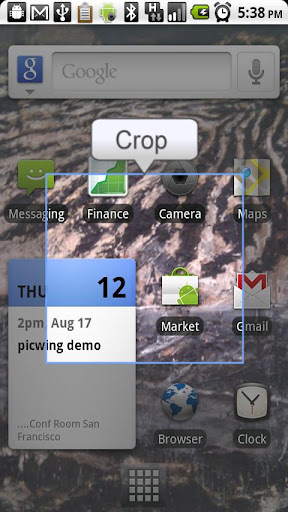
- Crop screenshots
- Annotate and draw on screenshots
- Screen shot status bar button
- Shake to screen shot
- Delayed screenshot timer
- "Share" menu integration
- Custom save directory
- Works on ALL devices, except Honeycomb

Download

Download - Market

WiFi File Explorer PRO 1.5.3 Apk


WiFi File Explorer PRO 1.5.3 Apk | 1 MB | Mediafire / MirrorCreator
Requires Android:1.6 and up

AndroidApps.Tk

Browse, transfer, download, upload, delete, copy, rename, stream and manage files that are on your Android device, using a web browser via a WiFi connection.

v1.5.3 update:
- Fix startup issue on Android 4.0 (Ice Cream Sandwich) which stopped service from being connected to.
- Faster initialisation time as a result of bug fix.

* Featured on Life Hacker and recommended by Motorola! The ORIGINAL, best, steadiest, cheapest and most popular WiFi file transfer app with now over half a million users across all app stores worldwide! So don’t waste money by using poor imitation WiFi file transfer apps with similar names ... use the professional, best supported, most feature rich one – WiFi File Explorer *

No more taking your phone apart to get the SD card out or grabbing your cable to access your camera pictures and copy across your favourite MP3s.

"I wholeheartedly recommend going the wireless route with WiFi File Explorer!" - PC World review - 5 stars.

------

FEATURES

1. Using a web browser, you can browse and download all the files on your Android device without the need for a cable. Download entire directories with one click which no other similar app offers;

2. Multiple batch file uploads and downloads to save you time when transferring many files at once from your computer to your Android device or vice-versa;

3. Backup your entire SD card or just backup individual directories with one simple click – for example, backup all your photos just by downloading the Camera directory!

4. Download a streaming media playlist to allow you to quickly flick through and stream all the stored media files in a directory into a media player on your computer. This is a unique feature not offered by other apps;

5. Create brand new directories and delete/rename/copy/zip/unzip files - the perfect file manager;

6. Use the one of a kind gallery viewer to create a slide show of all your camera pictures directly from your Android device. Simply click on a picture’s file name to launch the gallery viewer and then hit the play button to enjoy all your pictures in the web browser;

7. Search box so that you can find any file on your Android device;

8. Select between thumbnail and detail views to choose the best method to quickly browse your files. Thumbnails are supported for both pictures AND videos!

9. It is also uniquely an installer, so automatically install app files with just once click in the web browser;

10. With with one simple click you can set any audio file on your device to become your ringtone;

11. View all the camera pictures and videos or listen to all the music on your Android device streamed directly in a web browser. Use shortcut tabs to quickly view ‘All Music’, ‘All Pictures’ and ‘All Videos’ stored on your device, no matter which directory they are in;

12. Runs as a service in the background so you can use other apps while you are making transfers;

13. Simple to use with no set up or buttons – it just works!

14. Password protected to prevent unwanted access;

15. Ability to configure the port settings;

16. Full support for special characters in file names which competitor apps do not support;

17. Visual indicators and stats of how much free space is on your Android device as well as real-time indicators of how much battery and WiFi signal you currently have;

18. Send an email to the web link from the app for easy connection;

19. Special “Development Goodies” mode to enable SSL protection – email developer for details!

20. LOTS more features in development;

------

* Before emailing, check FAQs at http://dooblou.blogspot.com *

* Follow @dooblou on Twitter for all the latest news and updates as they occur *

* Find us on Facebook – Search for ‘WiFi File Explorer’ *

If you do have problems using this application on your WiFi network, it is most likely a configuration problem with your router/network. Please contact the developer if you have any questions and he may be able to help you ... but please don't rate low because your network isn't configured properly - that isn't the application’s fault ;)

Download

Download - Market

PhotoVault 3.1.14 Apk ( Hide Pictures )


PhotoVault ( Hide Pictures ) 3.1.14 Apk | 199 KB | Mediafire / MirrorCreator
Requires Android:1.1 and up

Hide pictures behind a password. Nobody can see the pictures you hide. With PhotoVault, privacy is no longer an issue. You can show your photo gallery to all the friends, family, and strangers on the bus that you want because the embarrassing, the secret, the private photos are all hidden from view, tucked away in your Private gallery.

v3.1.14 update;
- Fixed Panning issue introduced in 3.1.13.

In fact, when in Public mode, those hidden photos aren't even part of your photo gallery--their very existence is hidden. And more than just hidden from other people, they're hidden from other apps.

You can even set PhotoVault itself to open in Public mode, so it appears just like a standard photo gallery to any who might pick up your Android or be looking over your shoulder. Until, that is, you enter the password.

You, of course, have complete access to the photos in your Private gallery. You can manipulate them; share them via e-mail, messaging, Facebook, and other social networks; give a slide show; and more. You can do anything with them that you can with those in the Public gallery. The photos are easily transferred from Public gallery to Private gallery and back again with just a long-click on the photo's thumbnail.

If you ever have any questions on how it all works, there are instructions in the app and links to online support and FAQs. Best yet, the developer is actively working on PhotoVault, adding new features and taking requests.

Never be nervous about the privacy of the photos on your Android again with PhotoVault installed.

It is best in this category. The key features are:

- Simple hide/unhide one picture at a time by long hold on the picture thumbnail.
- Multi-select to hide/unhide group of pictures
- Multi-select to delete group of pictures
- Simple hide/unhide a whole folder of pictures by long hold on the folder
- View single picture in full size on both public and private side.
- Slideshows on both public and private side
- Share picture on both public and private side
- Organize private pictures into different folders.
- Create your own private folders.
- Set app into Public mode, which disguise the app as a regular gallery, no private pictures showing. And no password is asked till click on menu->"Change Mode" to enter password to enable all features

There is no other app on the Market can do all of these.

Remember to visit our website to find more tips and tricks.

If you like this app, please do leave us a positive feedback at the Market.

Want to hide videos, checkout VideoVault. And to hide text messages, checkout SmsVault (for Android system earlier than 2.0) or SmsDroid (for Android 2.0 or later).

Download

Download - Market

Android Assistant(18 features) v3.4 Apk - AdFree


Android Assistant(18 features) v3.4 Apk - AdFree | 1.7 MB | Mediafire / MirrorCreator
Requires Android:2.0 and up

AndroidApps.Tk

Top 18 features to help you easily and efficiently manage your android phone. Android Assistant is one of the most powerful and comprehensive management tools to improve your android phone's performance. It speeds up your phone's running speed and saves battery.

【Top18 features】
1. Monitor status (cpu, memory, battery)
2. Process Manager (Auto Boost and Quick Boost can distinguish different types of processes thus will not kill fatal system processes and apps in Ignore List.)
3. Cache Cleaner
4. System Clean(Browser History, Clipboard, Market History, Gmail History, Google Earth History, Google Map History)
5. Save Battery Settings(bluetooth, wifi, gps, auto-sync, orientation, haptic feedback, screen brightness, timeout)
6. File Manager
7. Startup Manager
8. Batch Uninstall
9. Battery use
10. Volume Control
11. Ringer
12. Startup Time
13. Startup Silent(Menu->Settings->Startup Silent)
14. System Info
15. Widget(Quick Booster[1,4], Shortcuts[4])
16. App 2 SD(Support android2.2 and later):Get more free internal phone storage space
17. Batch Installation
18. App backup and restore

Download

ES File Explorer v1.6.0.9 Apk


ES File Explorer v1.6.0.9 Apk | 2.1 MB | Mediafire / MirrorCreator
Requires Android:1.6 and up

AndroidApps.Tk

Featured File manager & App manager which can explore the phones & computers. 30 millions global downloads in 2011! One of best tools on Android market.Support 19 languages.

v1.6.0.9 change log:
1)Enhanced Toolbar
2)Support Android 4.0

ES File Explorer for Android is a free, featured all-in-one file manager & application manager & task killer & dropbox client & ftp client which explores your phone and your computer. It allows android users anywhere in the world to manage their resources for free, it makes easy to manage, stay connected using your 3G, EDGE or WiFi, and share with friends, upload photos, watch videos.

Download

Related Posts Plugin for WordPress, Blogger...
Twitter Delicious Facebook Digg Stumbleupon Favorites More

 
Design by Free WordPress Themes | Bloggerized by Lasantha - Premium Blogger Themes | Best Web Host